Free
$0 / forever
// no account needed
- All five AI engines
- 30 accepted completions per day
- All privacy & security features
- OCR screen reading
- Rolling 500-char context
- Multi-suggestion cycling
- Per-app filtering
- Five color themes
- Custom system prompts
System-wide AI autocomplete · Windows 10 & 11
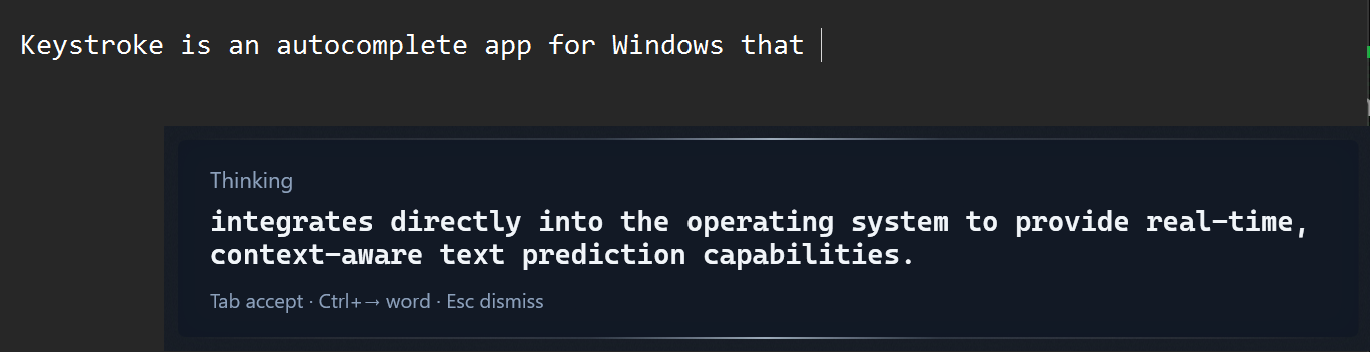
A ghostwriter that lives in every app on your machine — Outlook, Slack, VS Code, Word, the terminal, the address bar. Five AI engines. Sub-300 millisecond suggestions. Sixteen PII detectors scrub your text before it ever leaves your keyboard. Or go fully local with Ollama — if your hardware can handle it.
The premise
// your fingers already know the sentence. let them rest.
// works in every text field on your machine
A taste
A faithful stand-in for the real thing, running in this page with a tiny local dictionary. The real Keystroke runs system-wide with full language models. // press Tab to accept · Esc to dismiss
Pillar one · Privacy
Every byte of data has a documented path. No fine print. No mystery pipelines. Here is the whole picture.
No phone-home. No crash reporting. No analytics beacon. No update checker. The app never contacts any server except the AI provider you chose.
Learning database, analytics, configuration, logs — everything lives in %AppData%/Keystroke on your machine. Nothing is synced anywhere.
API keys encrypted at rest with the Windows Data Protection API, scoped to your user account. Never stored in plaintext. Legacy keys auto-migrate on upgrade.
Scrubbed or blocked before any cloud request leaves your keyboard:
ECDSA P-256 signature verification. Your license key is validated entirely on your machine. No registration. No account. No server call. Ever.
Run Ollama locally and Keystroke makes zero cloud calls. Every prediction generated on your hardware. Requires a machine with enough muscle to run local models at speed — see Engines for details.
Raw window titles stay local. Outbound prompts receive only safe category labels like chrome (Browser). Your browser tabs are your business.
Define your own regex-based redaction and blocking rules in privacy-rules.json. Keystroke ships the defaults; you own the policy.
Open Settings and see the exact prompt shape that would be sent to the AI. No guessing. No hidden flows. Full transparency, always.
From:     [EMAIL]
Subject:  Invoice #4829 — Q3 payment
Amount:   ████████
Card:     ████-████-████-████
Send to:  [EMAIL]
Auth:     Bearer eyJhbGciOiJIUzI1NiIs…
Status:   3 blocked · 2 redacted · prompt safe
Pillar two · Intelligence
Switch providers from the system tray. No restart. Bring your own API key, or run entirely on your hardware with Ollama.
gemini-3.1-flash-lite-preview
Google's fastest. Generous free tier that covers real daily usage without hitting a wall. Flash Lite is built for raw speed, while Flash gives a little more polish when Gemini is stable on your machine.
claude-haiku-4-5
Anthropic's writers' engine. Haiku is snappy enough for real-time autocomplete; Sonnet trades a little latency for noticeably richer suggestions. Best for long-form writing, emails, and anything where tone and voice matter more than raw speed. If your work is words, start here.
gpt-5.4-nano
The default first-run path. GPT-5.4 Nano is built for autocomplete-speed responses at the lowest cost. Mini strikes a balance between quality and price. Full 5.4 brings the best reasoning when you want completions that genuinely understand context.
100+ models
One API key, one endpoint, hundreds of models from every major provider and a long tail of open-source options. Useful for experimenting — try Mistral on Monday, Llama on Tuesday, switch back to Gemini on Wednesday. Also handy if your preferred provider has an outage and you need a fallback fast.
qwen3:30b-a3b
100% local. Zero cloud calls. Free forever. But honest talk: local models need serious hardware (16 GB+ RAM, a dedicated GPU) to hit usable speeds, and even then, quality trails cloud models. Great for privacy purists with beefy machines. Not a replacement for cloud engines on average laptops.
Pillar three · Pro, $20 once · the centerpiece
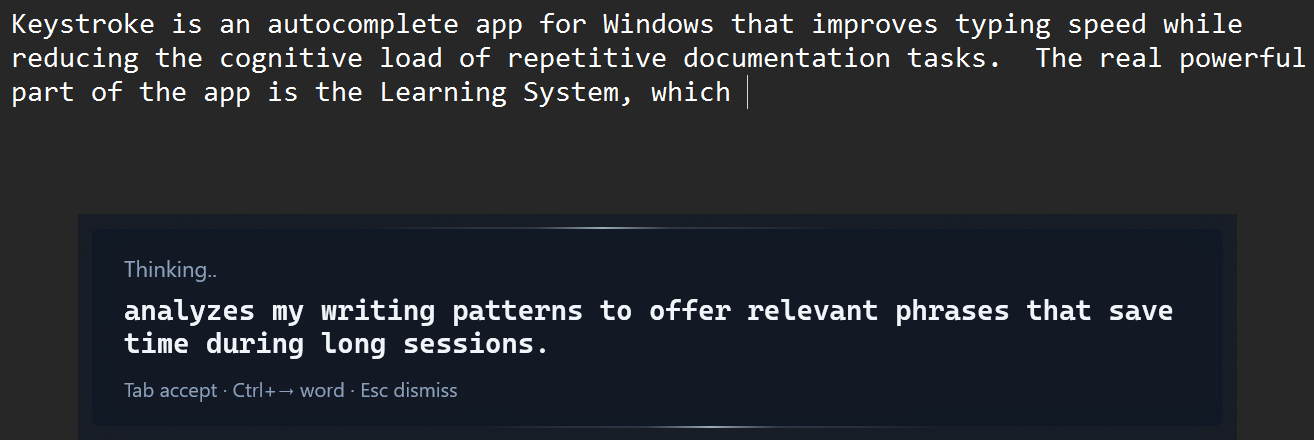
Generic autocomplete gives everyone the same suggestions, pulled from the same training data, written in the same beige voice. Pro is the opposite — it learns your voice, per app, over time, with guardrails, until the predictions sound like you wrote them yourself.
// why it matters
Your typing has a fingerprint. The words you reach for, the length of your sentences, how formally you sign off an email versus how you write a commit message — none of that is random. It's you. The rest of this site is about a product. This section is about the reason the product exists.
// three mechanisms, one voice
01 / Acceptance learning
Every Tab is a signal. Every dismiss is a signal. Every correction you make in the second after accepting is a signal too. Keystroke builds a per-context library of few-shot examples from your real decisions — what you accepted in Slack is different from what you accepted in VS Code, which is different from what you accepted in Outlook. Quality is scored by response latency (50%), cycle depth (30%), and post-edit behavior (20%). Only the high-confidence accepts earn a place in the teaching set.
02 / Style profiling
Every thirty or so high-confidence accepts in a category, a language model reads your patterns and writes a natural-language description of your voice in that context. Not keyword matching — it understands that you favor short declarative sentences in email and longer, more descriptive ones in documents; that you use contractions in chat but almost never in code comments; that you open messages with a verb, not a greeting. That description gets injected into the next prompt.
03 / Vocabulary fingerprint
A deterministic layer, running locally, with zero LLM cost. It tracks your word choices, preferred phrases, formality level, punctuation habits, and average sentence length in real time as you write. If you say "sounds good" more than fifteen percent of the time in chat, Keystroke knows. If you never use exclamation marks in email, it won't either. Pattern matching on your own learning database — fast, private, and free to run.
// the loop
Every suggestion Pro gives you is also a question: did I get it right? Your answer becomes the next suggestion. The loop never stops.
Keystroke offers a suggestion from the current style profile and top-scoring examples for this app.
Accept the full thing, accept one word, cycle to an alternative, correct it after, or ignore it entirely.
Latency, cycle depth, and post-edit behavior combine into a single 0–1 confidence score.
High-confidence accepts enter the few-shot buffer. Low-confidence ones are suppressed or retired.
// six voices, one you
You don't write a Slack message the way you write a PR description, and you certainly don't write a PR description the way you write a thank-you note. Pro keeps six parallel style profiles so it never drags the wrong voice into the wrong window.
/01
Greetings, full sentences, sign-offs, and the unspoken question of "how formal are we being today?"
/02
Sentence fragments, dropped subjects, your preferred reactions, and the exact number of exclamation marks you allow yourself.
/03
Comment style, naming conventions, how you phrase TODOs, and whether your error messages are apologetic or stern.
/04
Longer rhythm, descriptive vocabulary, paragraph shape — the voice you use when you're writing for someone, not to them.
/05
Keyword-shaped, abbreviated, intent-first. The voice you use when you already know what you're looking for.
/06
Commands, flags, one-liners. The voice you use when the machine is the only one listening.
// guardrails
Six hardened safeguards prevent feedback loops: a quality-gated session buffer, staleness suppression (profiles older than seven days are suspended), contamination filtering, short-prefix suppression, context-continuity filtering, and anti-loop detection. The system learns carefully, not recklessly. A bad day of typing won't ruin a good month of profile.
// the point
Most autocomplete treats you like everyone else. Pro starts generic and ends personal — the longer you use it, the less it sounds like a machine and the more it sounds like you on a good writing day.
Seven keys to learn
Pricing
$0 / forever
// no account needed
$20 / one time
// no subscription. no account.
// no subscription · no account · no trial countdown · license validated offline, cryptographically
Get started
01
Grab KeystrokeSetup.exe directly, or browse the releases page on GitLab. Per-user installer — no admin required, self-contained, no .NET runtime needed.
Heads up: the installer isn't code-signed yet, so Windows SmartScreen will show a "Windows protected your PC" warning on first run. Click More info → Run anyway to continue.
02
The onboarding wizard walks you through it. OpenAI with GPT-5.4 Nano is the recommended default. Or install Ollama for local predictions — though you'll need a capable machine (dedicated GPU, 16 GB+ RAM) for decent speed.
03
Keystroke runs quietly in the system tray. Suggestions appear near your cursor as you type. Tab to accept, keep typing to ignore. That's it.